INGREDIENTS:
-2 pieces of white poster board (Regular white paper works too)
-Swivel Lamp
-Regular digital camera
-Basic Photoshop skills
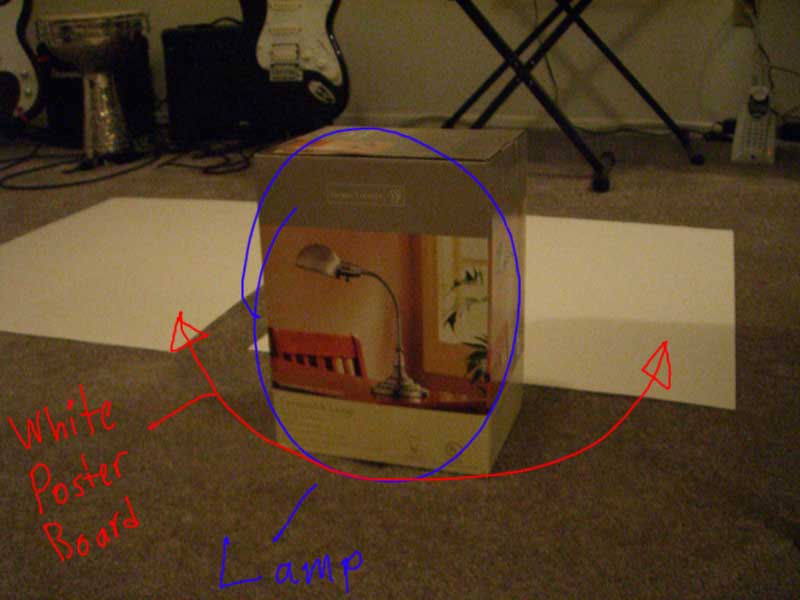
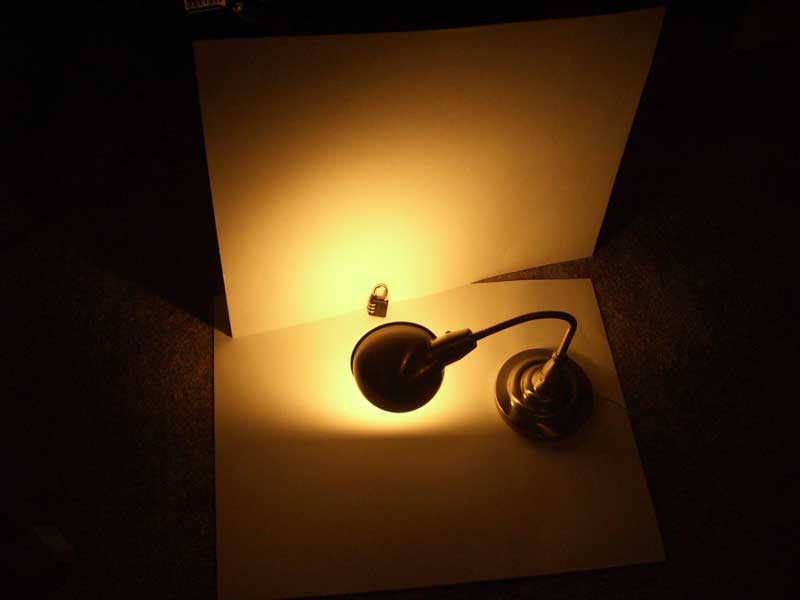
For Example:
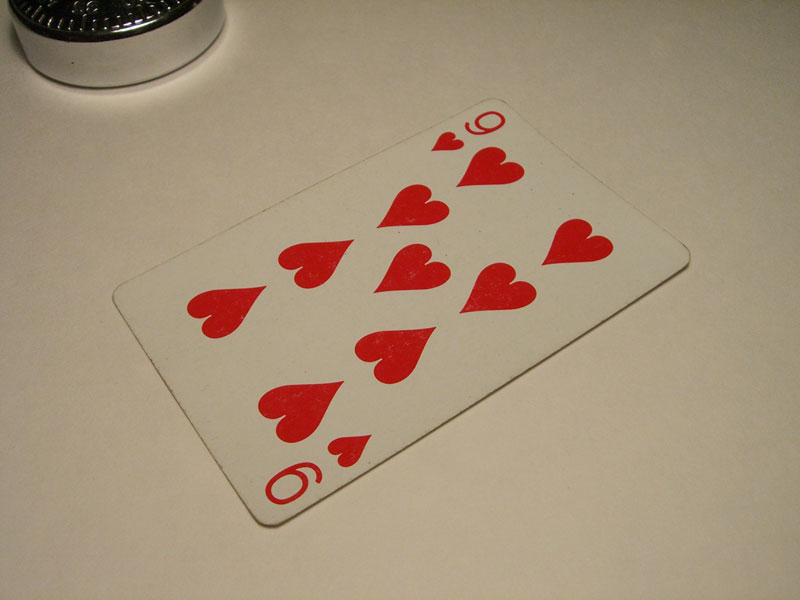 I took a picture of an old playing card.
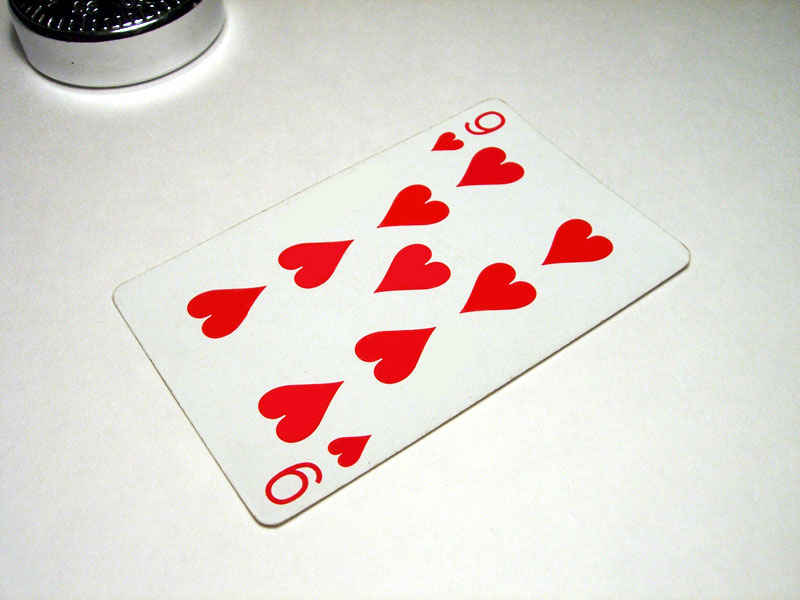 With Photoshop I brightened the picture and removed all the red and white blemishes.
 Playing around with Photoshop yielded this picture which looks nothing like the original. Point is: digital enhancements can make even bad pictures look good.
You can also do the same thing with less 2-dimensional objects such as this lock:
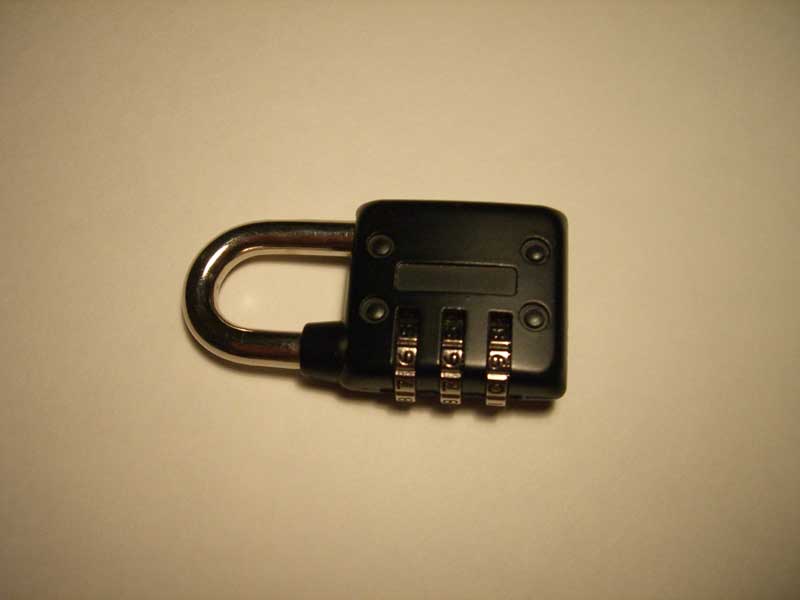
After Photoshop:
Just 2 magic eraser clicks in Photoshop and some cropping made this clean picture. The already white background makes Photoshopping very easy.
Pictures like this can also be used to enhance Ebay auctions or Craigslist postings. This is just one way to save money when running or starting an online biz, especially if running on a low budget.


And, I suppose the $600 you're supposed to shell out for Photoshop is included in the "cheap" part of this post?
ReplyDeleteHeh heh... I'm just kidding. Well, I mean, I guess it's not the hardest thing in the world to get Photoshop for "cheap".
useful post. didn't realised how easy it was to get good pictures.
ReplyDeleteTo hoon:
ReplyDeleteDude, "most" university computer labs have them installed, so you can use them for free there or else you can try the personal backup theory.
Cheers
IK
Most university computer labs have restrictive usage policies preventing you from engaging in commercial activities using their lab resources. You can go ahead and do it, but if for some reason they feel like holding you to the rules, trouble could ensue.
ReplyDeleteI think everyone missed the obvious -- which is downloading a full version copy of Adobe Photoshop from your fav P2P client -- duh!
ReplyDeleteIs that the kind of "solution" you recommend on your blog, Jay? Does anybody read it? Duh!
ReplyDeleteThis would really help some people who are posting those crappy pictures on eBay. In terms of the software, I use Corel's Paint Shop Pro (used to be Jasc). Way cheaper and does everything I need it to do.
ReplyDelete1. If you can't afford Photoshop, google for a program called "The Gimp". Does exactly the same thing, but it's free.
ReplyDelete2. I use an old white bedsheet instead of cardboard, works the same but is better for when backlighting is needed.
What was used to brighten up the playing card? Is there some quick trick I don't know or did you have to select every single heart and brighten it up, and then go and touch up in between the hearts little by little?
ReplyDeleteTry putting a brighter light in there, and putting something like a sheet or something to difuse the light a little bit... That will get you a better image to start with. It's easier to make a good image great than to make a so-so image great...
ReplyDeleteInstead of photoshop you can use GIMP an opensource(free) program that has all the same functionality and possibly more with addons Gimp
ReplyDeletei use Zoner Photo Studio to download images onto a computer, enhance photos, and remove defects with an ease you've never seen before.
ReplyDeleteThis method sounds great and all, and i have photoshop, but dont know the exact steps taken to get that kind of result. could someone please email me a how-to guide or something useful. i would really apprieciate it. thanks
ReplyDeletemy email is gateway4tt@gmail.com
Using diffused lighting will work wonders for product shots...direct lighting will invariably lead to hotspots...
ReplyDelete